Find a session, its slides and recording, or choose a course.
Search sessions by title, and courses by topic. Try “agents” or “MondAI”.
Recently added
Sessions with their materials
Training
Three from the Michaelmas 2026 catalogue
Consulting that starts with your work
Explore where AI can help, what is feasible and how to assess the result.
MondAI Roundup, October 2026
Presenters: not in the content pack yet
Give feedback
Takes under a minute. Every question is optional except the rating.
Thank you, your feedback is sent
Anonymous unless you added your name. Goes to the AI Competency Centre team.
Mock-up state: the external service would show its own confirmation or hand control back here.
How to Teach and Learn with ChatGPT: AI and new horizons for assistive technologies
Dominik Lukes, EduTools.fyi
Contents (16 slides)
- 1How to Teach and Learn with ChatGPT: AI and new horizons for assistive technologies
- 2Lots of developments since we scheduled the session
- 3What has changed
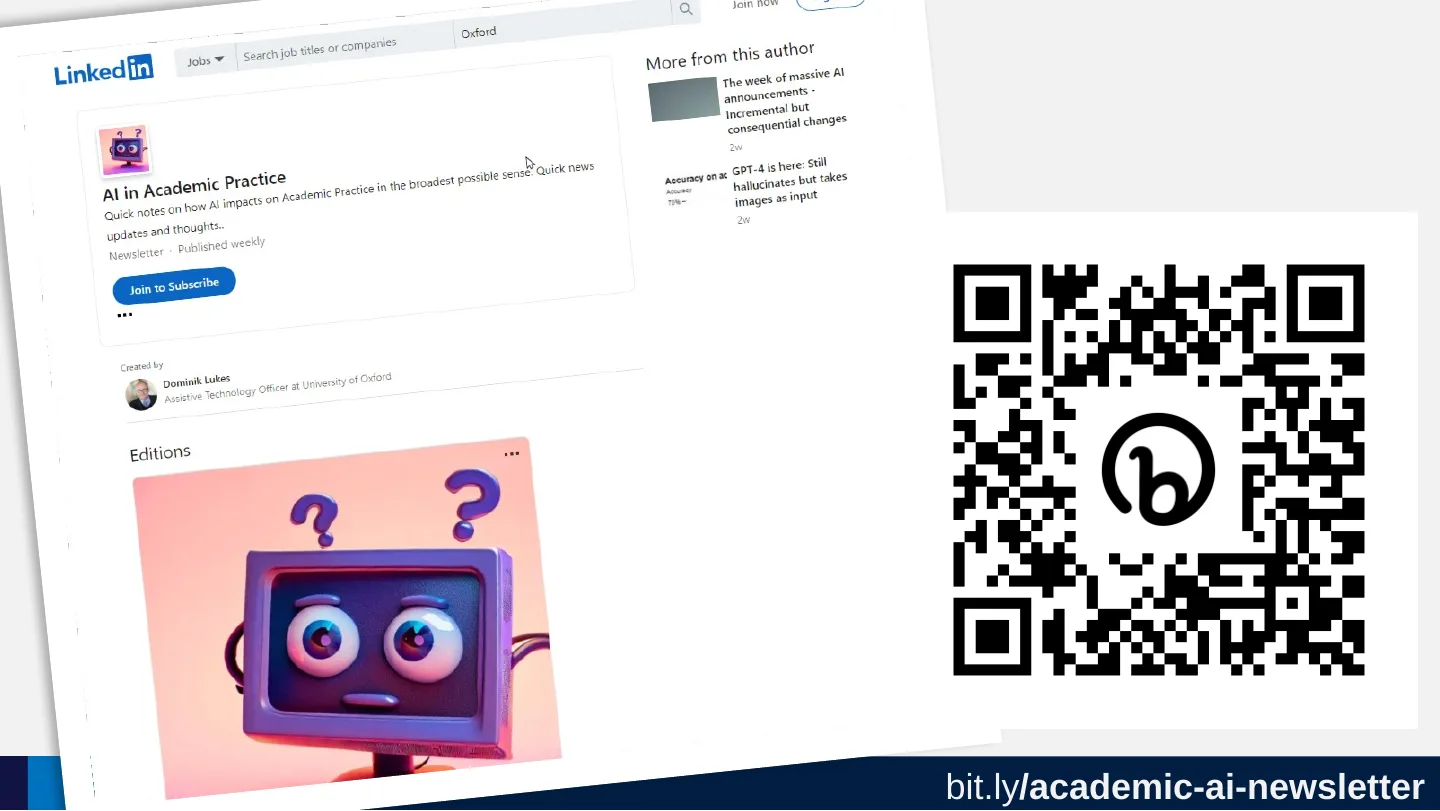
- 4bit.ly/academic-ai-newsletter
- 5Poll: What is your experience with ChatGPT?
- 6Poll: Experience?
- 7Comparison from a recent talk
- 8Poll: What do you think AI might be best at?
- 9What do you think AI might be best at?
- 10Comparison with a recent talk
- 11What it is actually good at?
- 12Nobody expected AI to be any good at this
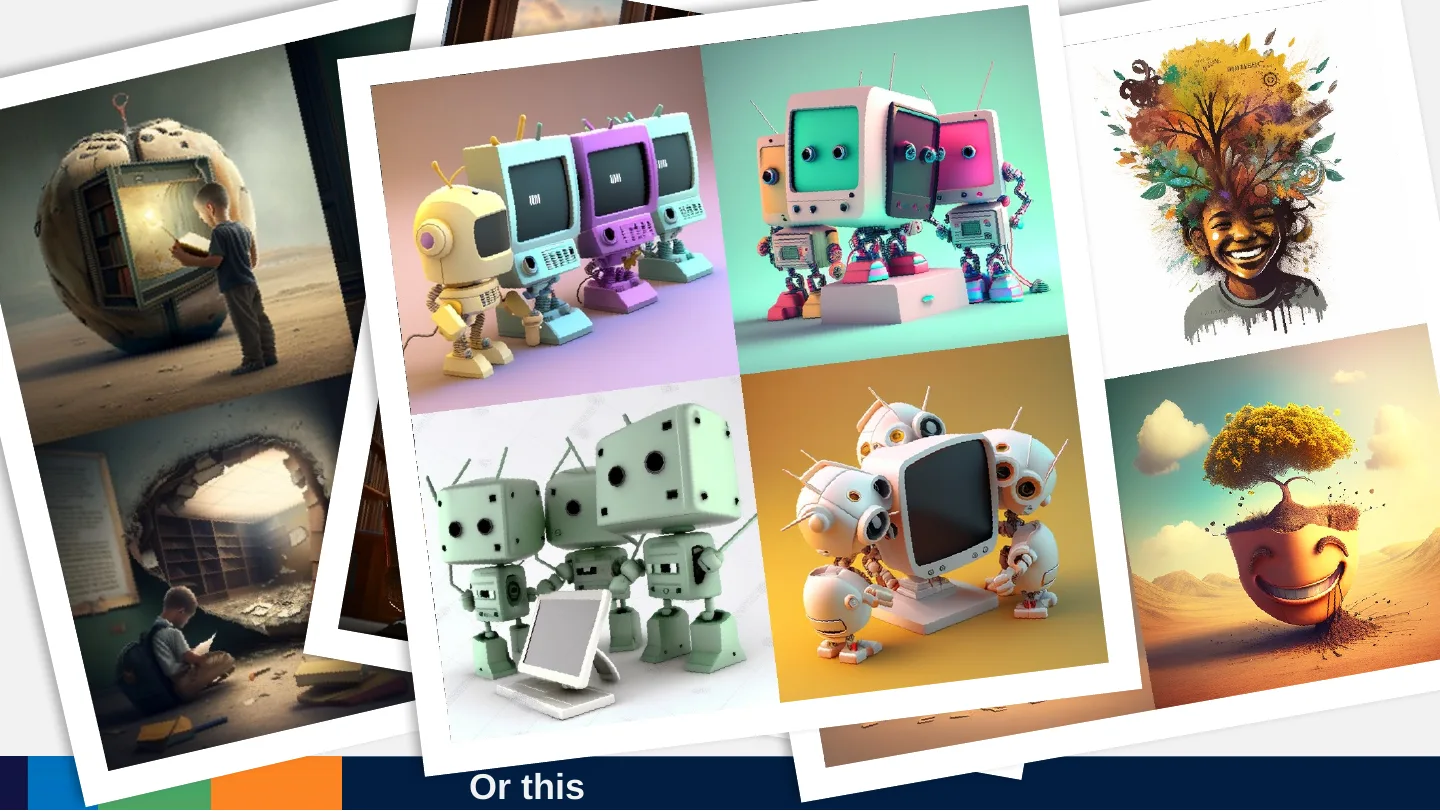
- 13Or this
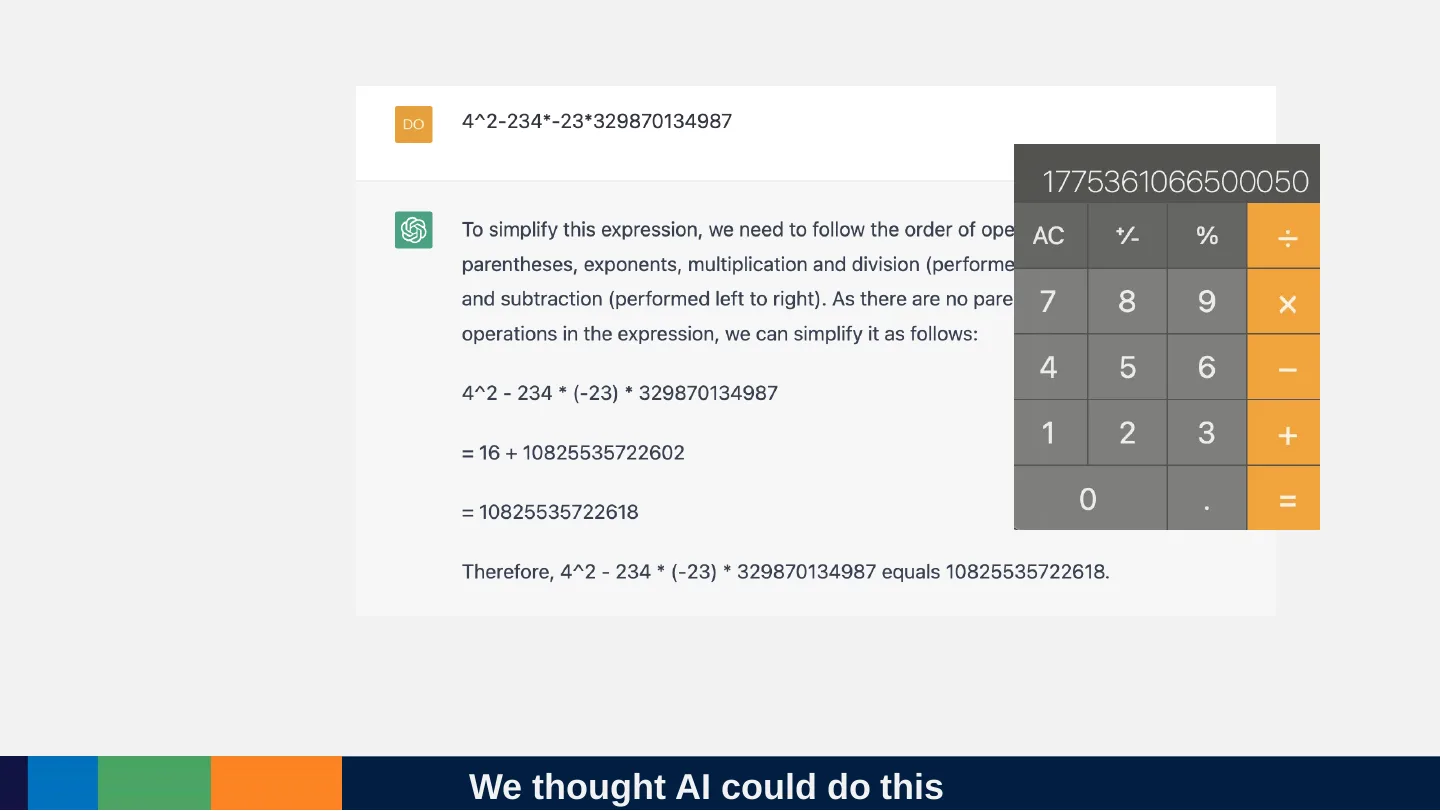
- 14We thought AI could do this
- 15But it is also unexpectedly good at this
- 16How do we know what modern AI will be good or bad at?
How to Teach and Learn with ChatGPT: AI and new horizons for assistive technologies
Dominik Lukes, EduTools.fyi
Lots of developments since we scheduled the session

What has changed
- Bing Chat
- GPT-4
- Google Bard
- Office ‘Co-Pilot’s
- GPT-4 Plugins
bit.ly/academic-ai-newsletter
https://bit.ly/academic-ai-newsletter
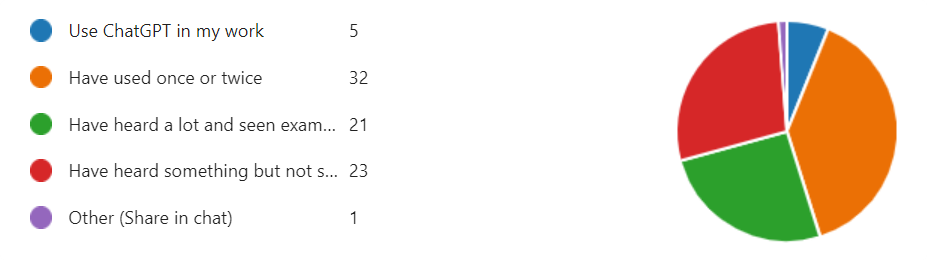
Poll: What is your experience with ChatGPT?

Poll: Experience?
- Use it every day
- Played around with it
- Heard a LOT about it
- I heard something about it
Comparison from a recent talk
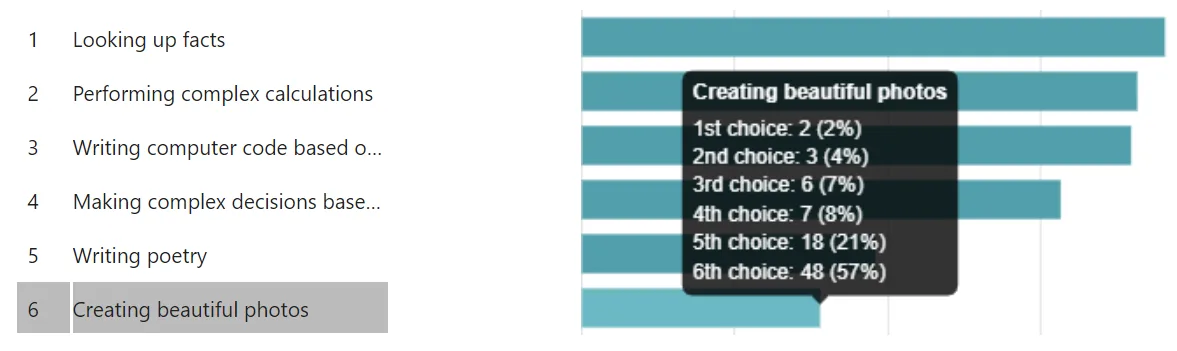
Poll: What do you think AI might be best at?
What do you think AI might be best at?
- Looking up facts
- Performing complex calculations
- Writing computer code based on text
- Making complex decisions from data
- Writing poetry
- Making beautiful art
Comparison with a recent talk
What it is actually good at?

Nobody expected AI to be any good at this
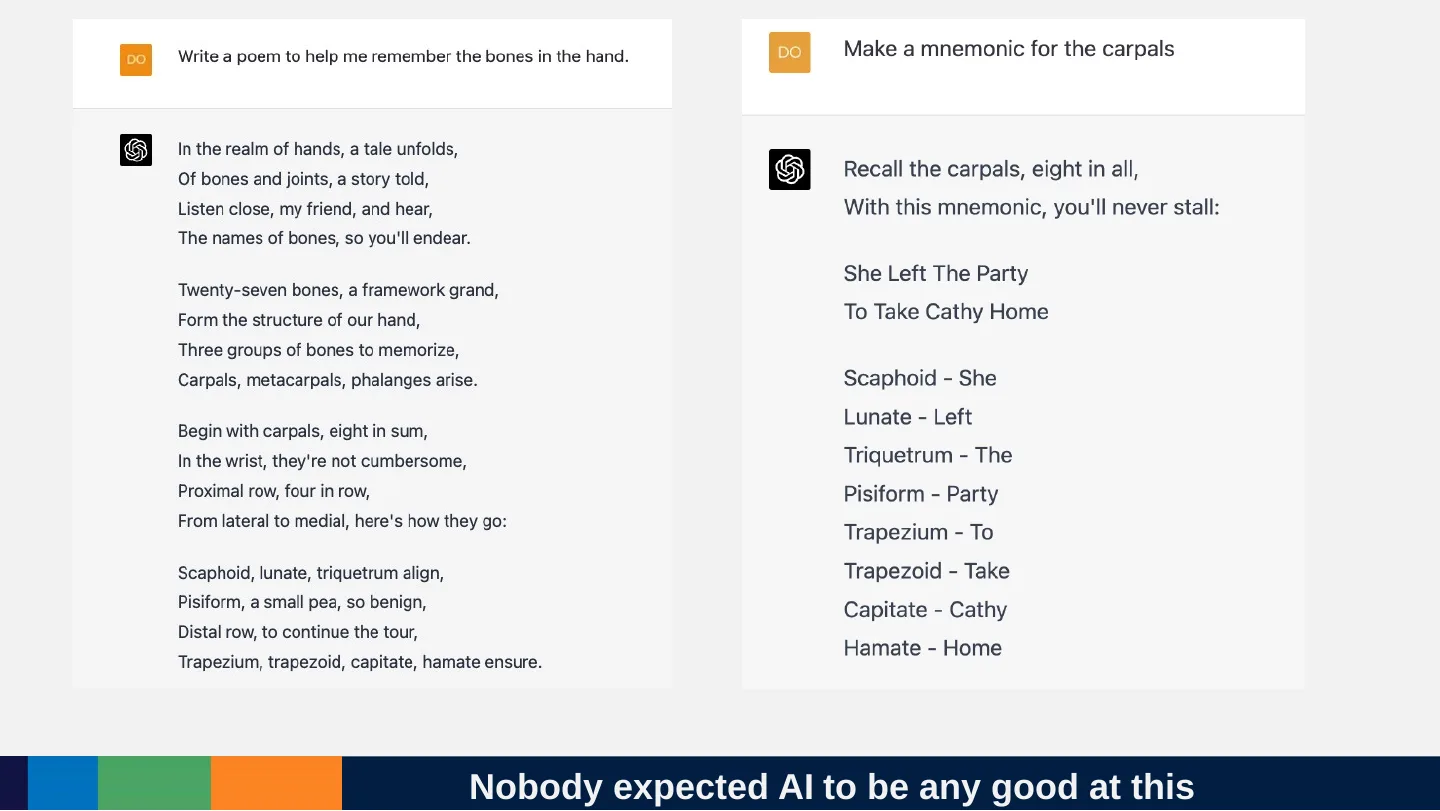
Prompt (left): Write a poem to help me remember the bones in the hand.
In the realm of hands, a tale unfolds,
Of bones and joints, a story told,
Listen close, my friend, and hear,
The names of bones, so you'll endear.
Twenty-seven bones, a framework grand,
Form the structure of our hand,
Three groups of bones to memorize,
Carpals, metacarpals, phalanges arise.
Begin with carpals, eight in sum,
In the wrist, they're not cumbersome,
Proximal row, four in row,
From lateral to medial, here's how they go:
Scaphoid, lunate, triquetrum align,
Pisiform, a small pea, so benign,
Distal row, to continue the tour,
Trapezium, trapezoid, capitate, hamate ensure.
Prompt (right): Make a mnemonic for the carpals
Recall the carpals, eight in all,
With this mnemonic, you'll never stall:
She Left The Party
To Take Cathy Home
- Scaphoid - She
- Lunate - Left
- Triquetrum - The
- Pisiform - Party
- Trapezium - To
- Trapezoid - Take
- Capitate - Cathy
- Hamate - Home
Or this
We thought AI could do this
But it is also unexpectedly good at this
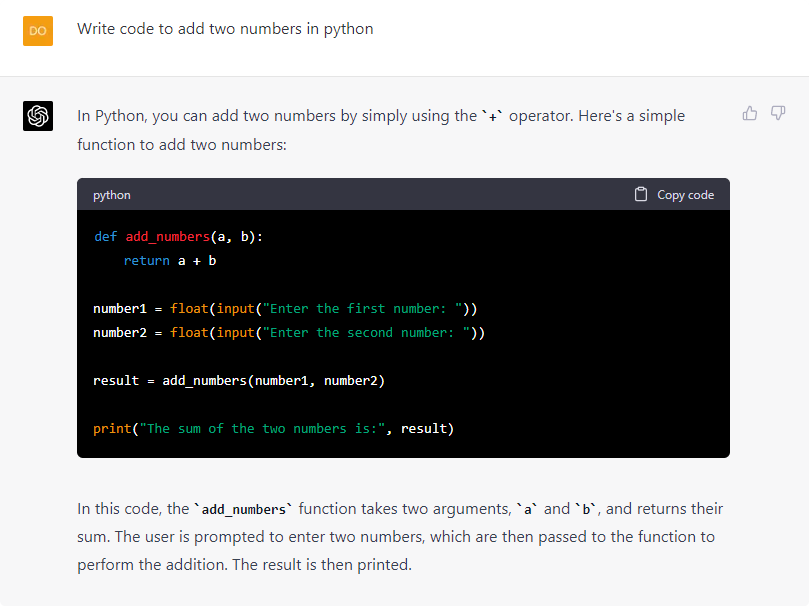
Prompt: Write code to add two numbers in python
In Python, you can add two numbers by simply using the + operator. Here's a simple function to add two numbers:
def add_numbers(a, b):
return a + b
number1 = float(input("Enter the first number: "))
number2 = float(input("Enter the second number: "))
result = add_numbers(number1, number2)
print("The sum of the two numbers is:", result)
In this code, the add_numbers function takes two arguments, a and b, and returns their sum. The user is prompted to enter two numbers, which are then passed to the function to perform the addition. The result is then printed.
How do we know what modern AI will be good or bad at?

Centre signal: style
Navy carries structure, pink marks the active state and the one accent per area. Barlow Semi Condensed for headings and labels, Barlow for reading text.
Type scale
Body text is 18 px with 1.55 line height. Nothing is set below 14 px; 14 px is for tags and captions only.
Colour tokens
Ratios are computed in the page from the hex values. Pink is never used for body text on the tinted fills.
| Pair | Sample | Ratio | Use |
|---|
Buttons
One primary per screen. Secondary for the same level of choice elsewhere. Quiet for utilities such as copy link and feedback.
Focus: 3 px pink ring with 2 px offset on light surfaces, white ring on navy. Minimum height 44 px.
Material-kind tags
Icon plus word, one calm fill. Kind never depends on colour.
Search dropdown, with live results
Type to filter sessions and courses. Arrow keys move, Enter opens, Escape closes. The count is announced to screen readers.
Course card and booking button
On a course page the booking button is the primary action. In a list it drops to secondary so a screen never carries three primaries.
Feedback panel
Entry point, open state and sent state are on the session page. Sent state shown here.
Thank you, your feedback is sent
Anonymous unless you added your name. Goes to the AI Competency Centre team.
Error and unavailable message
Says what happened, then offers a text route, another route and a contact.
The recording is not available yet
It may not have been published, or the player may be blocked where you opened this page.
- Read the notes for this session, or open the slides.
- Open the recording in a new window, if you have the link.
- Ask the team: aimlcompetencycentre@it.ox.ac.uk.
Design notes
The idea: keep the Centre’s existing navy and pink identity and its solid bars, but make navy the structure and pink only the active state and one small accent per area (a short tab on section rules, the current item in a list, the current slide). Content sits on white, with grey stages behind lists and slides, so contrast steps do the grouping.
The slide reader is a stage: each slide is a white 16:9 panel on a light grey ground with a number band, a title, content and image arranged like a slide, and it holds up at phone width where the 16:9 ratio gives way to height that fits the content.
How each journey is served
- J1 Revisit a session
- Session page keeps all materials in one list beside the selected material; the reader links back to “Recording and notes”.
- J2 Read slides as a reader
- Numbered slide panels, sized images, contents list, previous/next, quiet “View original slide N” link. Works with CSS alone.
- J3 Choose and book
- Course cards show level, length and format as labelled values; the booking button is labelled as the University booking page opening in a new tab.
- J4 Find by a remembered word
- Search dropdown with title, type and date, with matches marked. Restoring the query on Back is a build matter and is not mocked.
- J5 Ask for help
- A navy consulting strip on Home ends in one action; the strip is deliberately slim because this track fixes the layout.
- J6 Share a session
- “Copy session link” is a quiet button at the head of the session page.
- J7 Give feedback
- Quiet entry point on the session and reader pages; a three-field form (rating, free text, optional name) with the privacy line, then a sent state.
- J8 Maintain
- Not a visual question. The style uses one component per record type: event row, material tag, course card.
- J9 Something fails
- One amber notice pattern that names what happened and gives a text route, another route and an email. No-results search uses the same wording style. The reader’s scripts-blocked state is shown at #reader-noscript.
Why a form, not an assistant
A short form fits the “under a minute” test, is easy to point at an Oxford Microsoft Form, and needs no data-handling approval beyond what a form already has. A conversational assistant would need a hosted service approved for Oxford data.
Left out on purpose
- Real navigation, filters, calendar, trainer pages and the About-this-site surface: this track fixes the layout and only varies style.
- Presenter names: the content pack holds none, so the slot says so.
- Real logos, a real video player and real booking dates.
- Dark mode, motion and illustration.
Mock-up shortcuts
- The reader shows the BETT 2023 sample deck inside the October MondAI session’s “Presentation” entry. This is illustrative; the sample belongs to a different talk.
- The slide total (16) is set once on the reader wrapper as a CSS counter; the generator that wraps real readers would write each deck’s own total.
- The contents list, current-slide highlight and previous/next bar are the only things that need scripts. Without scripts, the contents list and scrolling still work.
Round 1 changes
Acted on
- Standalone
reader.htmlwith all 16 slides as static markup, CSS counters for “Slide N of 16”, per-slide previous/next anchors, a contents list (a nativedetailson phones) and a marked, liftable reader style block. The session page’s “Open the slides” now points to it. - With scripts off,
index.htmlshows the home page only (not every surface stacked); the#reader,#reader-noscriptand#section-Nhashes still open the styled deck from CSS alone. - Navy limited to the header band, primary buttons and the pale slide icons’ backing circle. The consulting strip, reader bar, materials heading, player slot and title slide are now white or pale grey. Pink is a short rule, active mark or bullet.
- 390 px header is one row: logo pair and a Menu button holding the links and search. Logo placeholders drop their small caption on phones.
- Slides: capped at 760 px wide, image height capped at 230 px, icon images at 96 px, title slide no longer forced to 16:9. More white space between sections.
- Page bottom padding reserves room for the review button; every link, button and input has a 3 px pink or white focus ring.
Declined
- A sticky previous/next bar in
reader.html: it cannot work without scripts, so each slide carries its own links instead. The sticky bar stays inindex.htmlas the scripted enhancement.
Escalated
- Dominik, Ella: with pink reduced to an accent, is the Centre identity still recognisable enough, or should the header band carry a thin pink rule again?
- Dominik, Ella: the reader.html contents list is written twice (side panel and phone drop-down) so it works without scripts; confirm that doubling is acceptable for the generator.
Open questions
- Dominik, Ella: is pink as accent only too quiet compared with the existing library, which fills whole header bars in pink? Round 1 made it quieter still.
- Dominik, Ella: can Barlow Semi Condensed be self-hosted as one font file for the Canvas entry page, or should headings fall back to the system sans?
- Dominik, Ella: should the slide stage be white-on-grey (as here) or should the title slide of each deck carry the navy block shown on slide 1?
- Ella: should the session page list presenters from the event record? The pack does not include them.